Sensor data to Internet using Arduino and PC – Part 1
In the past two years - I have attempted transmitting Arduino serial data to the internet using various ways. Using proprietary service like ThingSpeak were not appealing to me (and hence, never even attempted using the service) as the data gets uploaded to their servers and you cannot present them the way I want to.
So this series of blog posts document the transmitting of Arduino serial data to a file storage like Google Sheets or DropBox efficiently and standardise it across all my projects (which may or may not be documented here). Once this is achieved, then the data can be used for all purposes like data science and machine learning.
Please comment if you find any error in what I have documented here.
Part 1: Arduino Setup and Code:
So - we need to generate data from the Arduino - we do this using a photo resistor and a DS3231 real time clock.
Circuit:
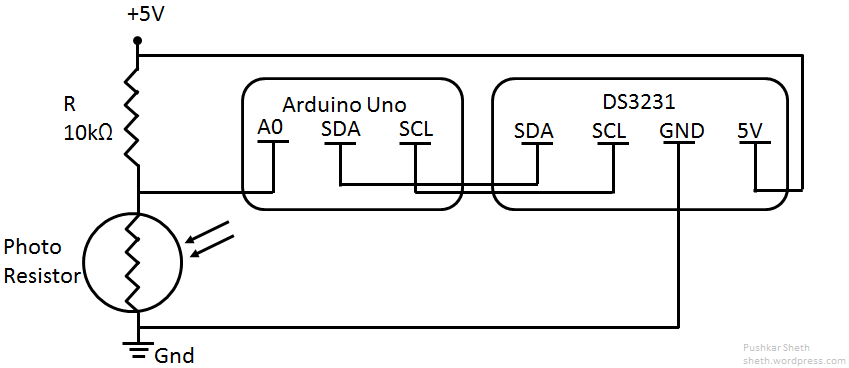
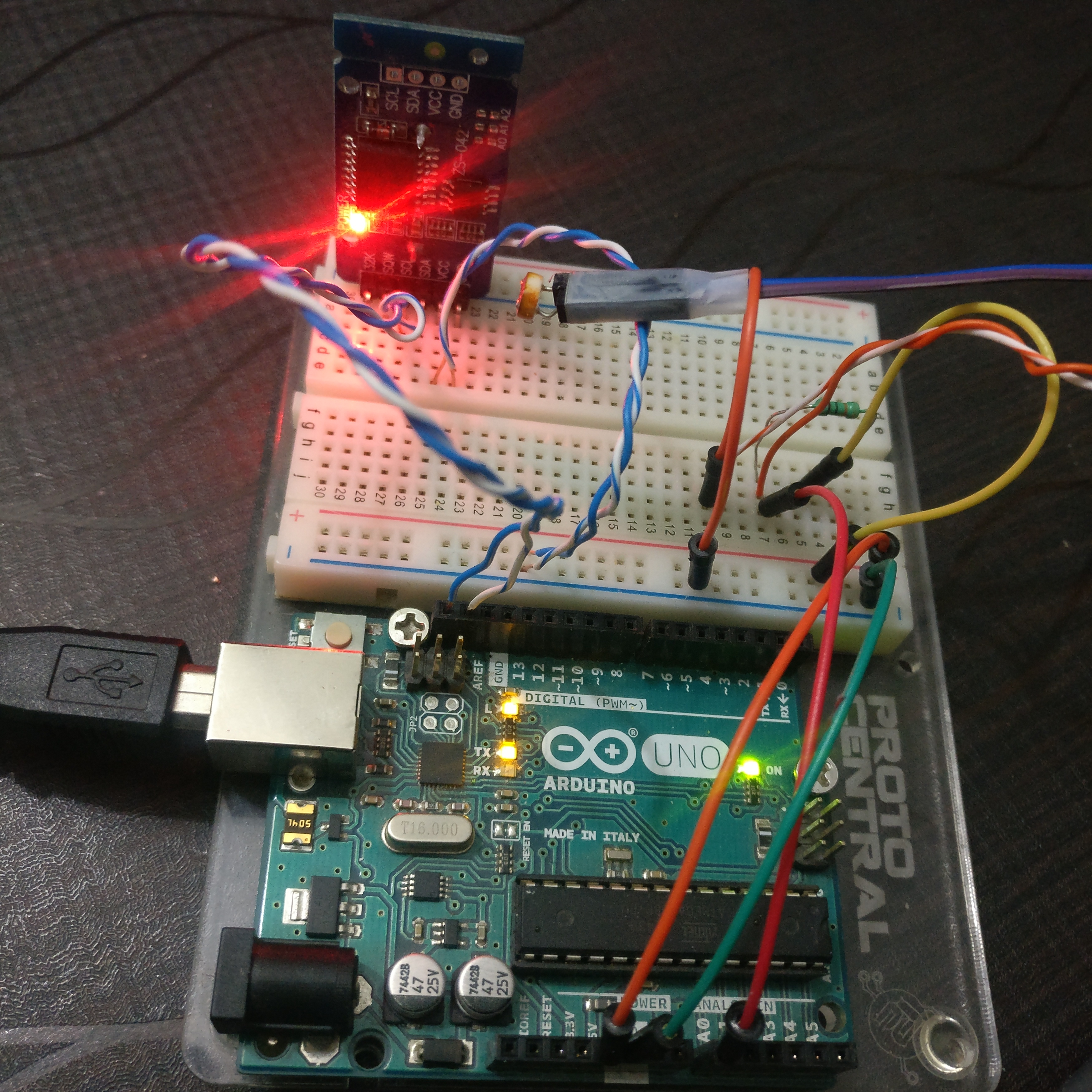
Heres how the circuit setup looks like:
Code (there is some 16x2 LCD code as well in the code - you may ignore it):
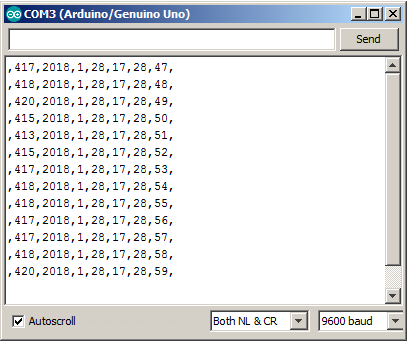
As you can see from the code - the output is slightly modified so that it is “Python readable” i.e. easy to be read and sorted without much effort.
The serial monitor output looks like:
In Part 2, I will elaborate on the python code to read serial and save it as a .csv file.